

The world's most accurate flood, urban drainage, lake, estuarine and coastal hydraulic modelling software. TUFLOW is the modeller's model, offering accuracy, speed and outstanding workflow efficiency within GIS and GUI environments.
For general information and enquiries, please contact info@tuflow.com
For sales or licensing, please contact sales@tuflow.com
For setting up and applying TUFLOW, please contact support@tuflow.com
For training enquiries, please contact training@tuflow.com
TUFLOW is a hydraulic and hydrodynamic modelling software suite, supported by wide array of analysis tools. It has been leading the water modelling industry since the 1970's, starting with the development of TUFLOW's 1D engine. Since its inception, TUFLOW has led the way by claiming many world firsts, such as 1D/2D linking in 1991. Today, TUFLOW has evolved and matured to become one of the worlds most accurate, fastest, supported and feature packed hydraulic and hydrodynamic modelling suites available. With TUFLOW, users can:
TUFLOW is also the most flexible hydraulic modelling tool available in terms of development and reviewing results. TUFLOW is integrated into multiple Geographic Information (GIS) and Graphical User Interface (GUI) software. This gives our users complete freedom to model with TUFLOW within their existing familiar work flows and environments.
Use our licence free training datasets, supported by online tutorials and videos to learn TUFLOW and become part of an ever growing community of passionate problem solvers.
TUFLOW's 2D grid/quadtree mesh hydraulic solvers are dynamically linked and packaged with TUFLOW's 1D solver: ESTRY. As the name implies, ESTRY was originally developed for 1D modelling of estuaries and rivers. Some 50 years later ESTRY is now a powerful 1D solver that handles everything from large river/floodplain systems to complex pipe networks. ESTRY's stability, wide range of static and operational hydraulic structures, and automatic energy loss calculations at structures and manholes, has been pivotal to TUFLOW's success. Key to ESTRY's integration with our 2D solvers has been TUFLOW's superior 1D/2D linking that outperforms other software, and has been the hallmark of TUFLOW's reputation and performance since the 1990s.
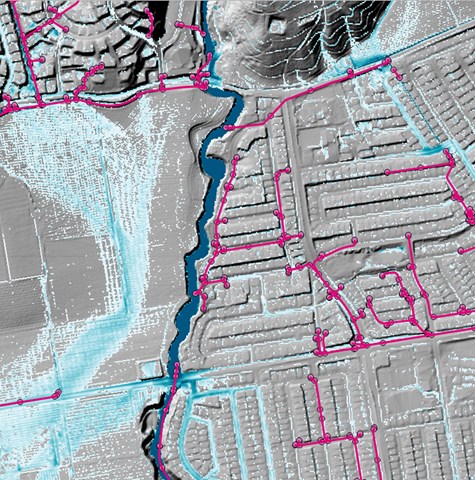
TUFLOW's two world-leading 2D grid solvers are known as Classic and HPC. Classic is an implicit ADI scheme that set the standard for 2D hydraulic computations up until the 2010's. TUFLOW HPC is the new standard, with its GPU accelerated, shock capturing, 4th order time and 2nd order spatial finite volume scheme.
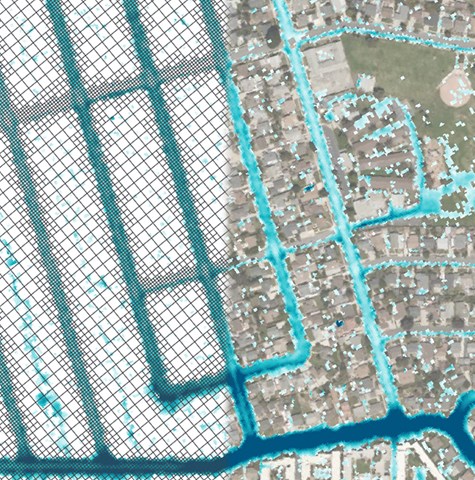
HPC's quadtree feature additionally provides amazing flexibility by allowing construction of variable cell size meshes in minutes. Even further- HPC's Sub-Grid Sampling (SGS) scheme has prodigious benefits that have redefined the accuracy of 2D modelling without incurring untenable computational overheads.
Both Classic and HPC incorporate TUFLOW's 1D Solver and flexible and powerful 1D/2D linking functionality. This seamless integration makes TUFLOW the most accurate and numerically stable in the world, and this has been a hallmark of TUFLOW's reputation and performance since the 1990s.
Our 2D solvers are primarily used for catchment, flood and urban drainage modelling, but are also suited to shallow estuarine, lacustrine, coastal and tsunami modelling.
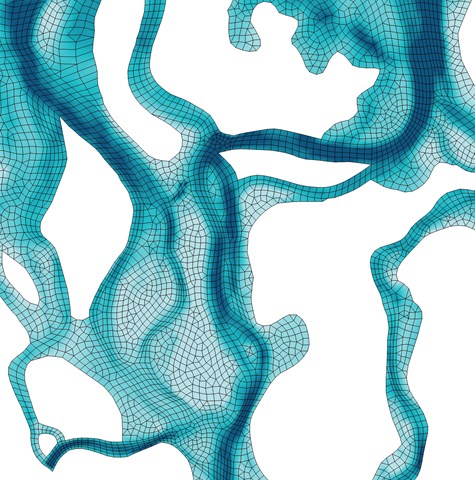
TUFLOW's 2D/3D flexible mesh solver is applicable to all environmental flow settings from coastal zones and estuaries to highland water supply reservoirs.
The flexible mesh approach means that the shape and orientation of model cells can be set to match nature, rather than trying to make nature artificially fit to a fixed model grid: fixed grids need no longer constrain the quality and scope of environmental investigations.
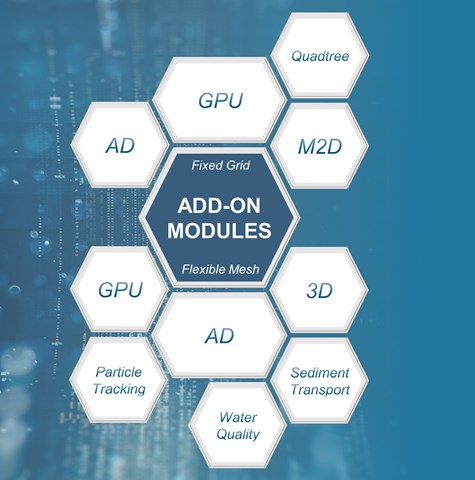
TUFLOW's flexible mesh scheme also offers a wide range of add-on functionalities to support advanced environmental analysis including advection - dispersion, sediment transport and morphology, water quality modelling and particle tracking analysis to name a few.
TUFLOW's hydraulic modelling engines have a full complement of additional optional modules to increase computing and assessment power. These include:
The combination of modules used can be tailored to individual project needs, making environmental assessment efficient and effective.
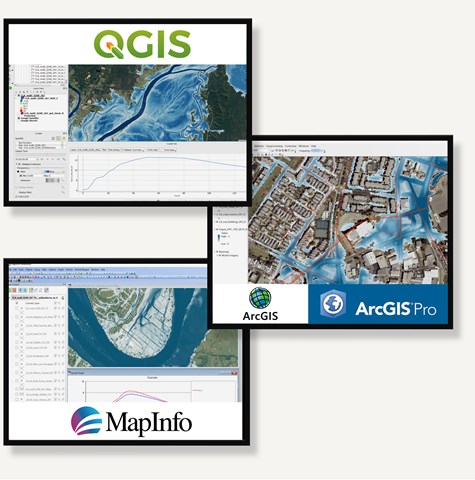
TUFLOW numerical solvers are essentially the engine of the car, with other tools making up the chassis to complete the package. Last year's annual user survey found over 75% of TUFLOW modellers choose their favourite third party Geographic Information System (GIS) platform as the preferred tool to construct geo-spatial inputs and to review and analyse results following model simulation. Using GIS has considerable benefits for workflow efficiency, geo-spatial editing and direct use of raw data: the GIS/TUFLOW combination has proven to be unique and powerful, and one that modellers love using. TUFLOW licences buy the best engines there are, not fancy interfaces.
To further enhance productivity and user experience, we have developed a suite of GIS toolboxes and plugins for the ArcGIS, ArcPro, MapInfo and QGIS platforms.
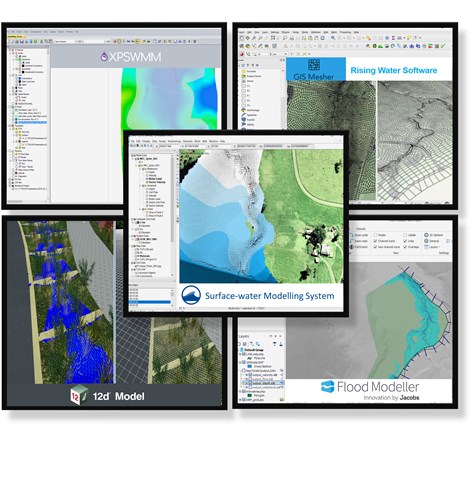
TUFLOW models can be developed within a range of Graphical User Interfaces (GUI) developed by our software partners: 12D Solutions, Flood Modeller Pro, GIS Mesher, SMS and Innovyze's XP-Solutions. These GUI options offer customised model development environments to suit your preferred style of operation and workflow. The 1D solvers offered by 12D, Flood Modeller and XP-Solutions can be dynamically linked to TUFLOW's Fixed Grid/Quadtree 2D software with ease.
A large range of models are downloadable and can be run licence-free to assist with learning TUFLOW. The tutorial models come with step-by-step guidance on how to set up and apply TUFLOW, whilst demonstration models are provided to showcase specialised features - it's so much easier working from an example model than starting with a blank screen!
Also, use our simulation speed benchmark dataset to test local computer hardware performance. Use results gathered from the broader TUFLOW community to help select the highest performance hardware next time compute resources are upgraded.
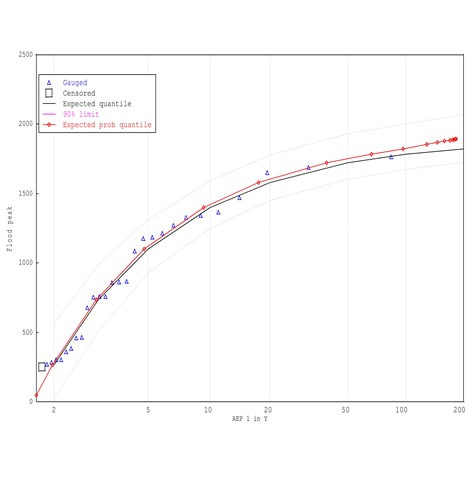
FLIKE is an extreme value analysis package that calculates the probability of flood events based on historical records. It has been created specifically for flood frequency analysis, although it can be applied to any extreme value analysis.
Developed by Emeritus Professor George Kuczera from the School of Engineering at the University of Newcastle Australia, FLIKE is compliant with the recent major revision of industry guidelines for flood estimation, documented in the draft update of Australian Rainfall and Runoff (ARR)